An iPhone app from GenWealth Technology
See how your money flows.
Decide where it grows.
Cypress connects your banks, cards, and brokerages, sorts every transaction into a budget you control, and answers questions about any of it in plain English.
Currently in beta. Coming to the App Store, with a 30-day free trial.
One month · 21 categories · $4,904 assigned
- Rent — $1,650
- Groceries — $520
- Savings — $500
- 401(k) — $400
- Restaurants — $300
- Car payment — $285
- Utilities — $210
- Gas — $160
- Emergency fund — $150
- Health insurance — $145
- Internet — $80
- Phone — $75
- Vacation fund — $75
- Subscriptions — $64
- Pets — $60
- Household — $55
- Fitness — $45
- Coffee — $40
- Gifts — $35
- Charity — $30
- Haircuts — $25
- Bank links via Plaid
- Encrypted in transit and at rest
- No ads, no tracking
- We never sell your data
What it does
Five screens that cover a whole financial life.
Budget, transactions, accounts, investments, and an assistant that reads your own records — not a generic chatbot.
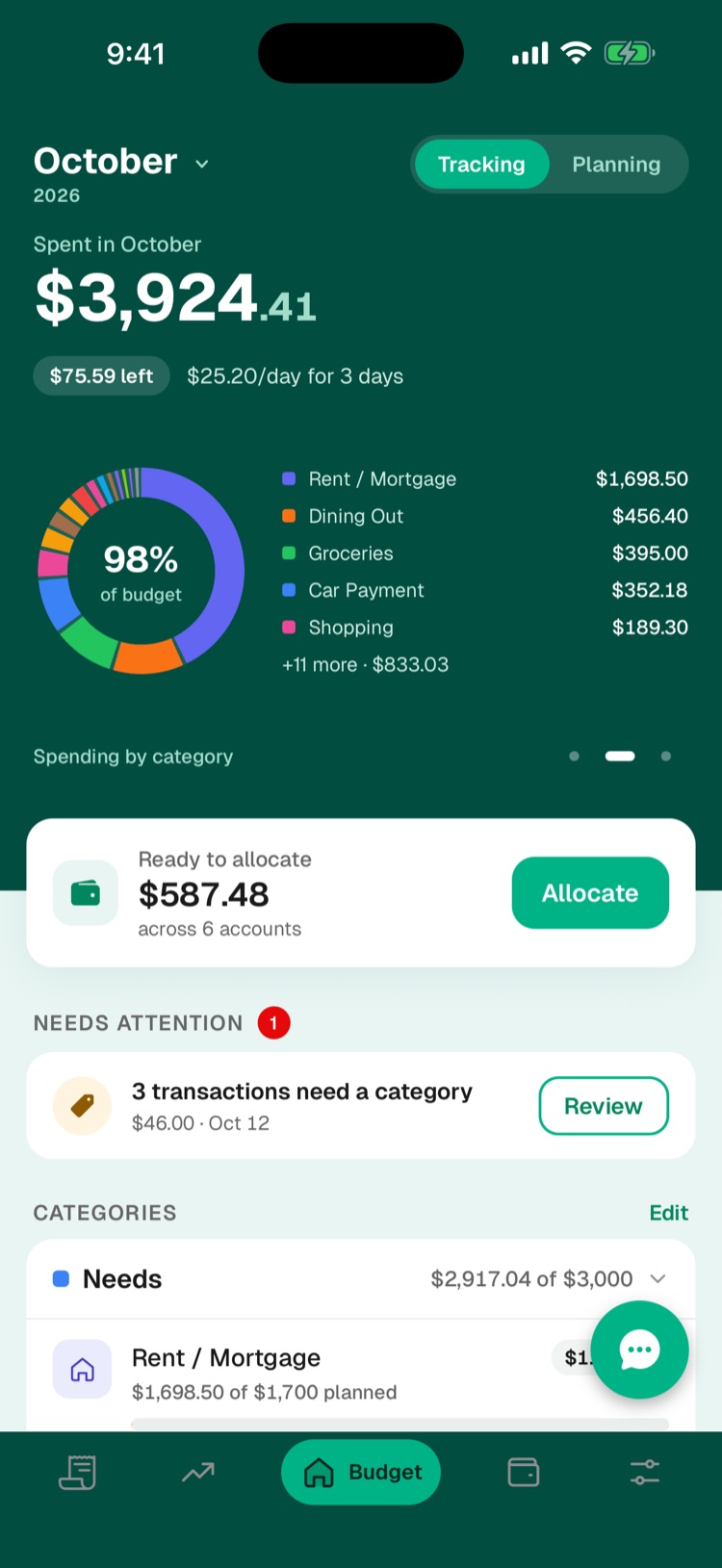
Budget
Assign the month before you spend it.
Give every category an amount, then watch what is left move as transactions land. Choose your categories during setup, and Cypress files your recent transactions into them.
- Category groups, spending limits, and savings goals that either reset monthly or build toward a balance
- Move money between categories mid-month without breaking the plan
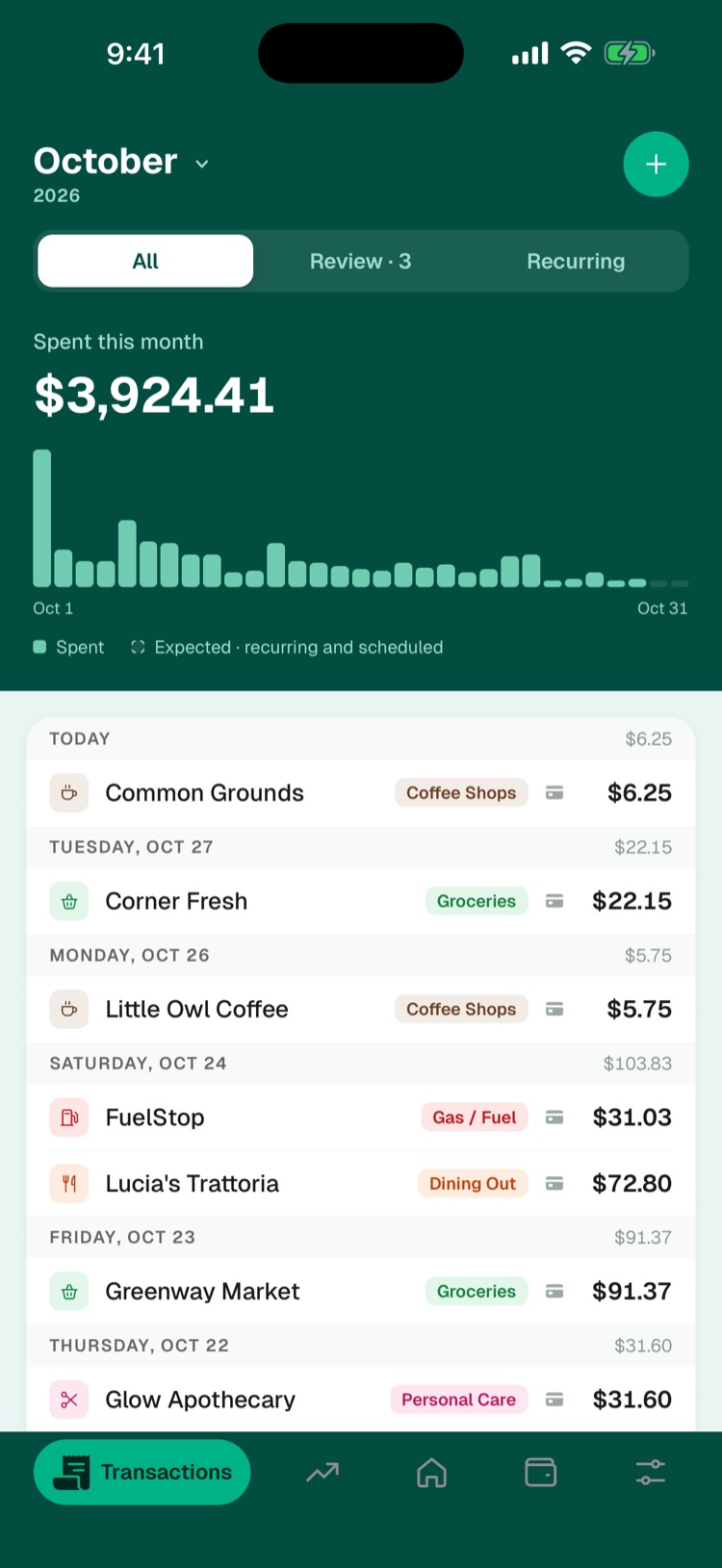
Transactions
Every charge, filed and accounted for.
View a single month or the whole year, with spending day by day and the charges still to come. New transactions arrive with a suggested category that you confirm or change.
- A Review queue for new transactions: confirm Cypress's pick, or change it
- Split a transaction across categories, or set a merchant rule once and it files itself from then on
- Bills, subscriptions, and income tracked as recurring, so charges show up before they hit
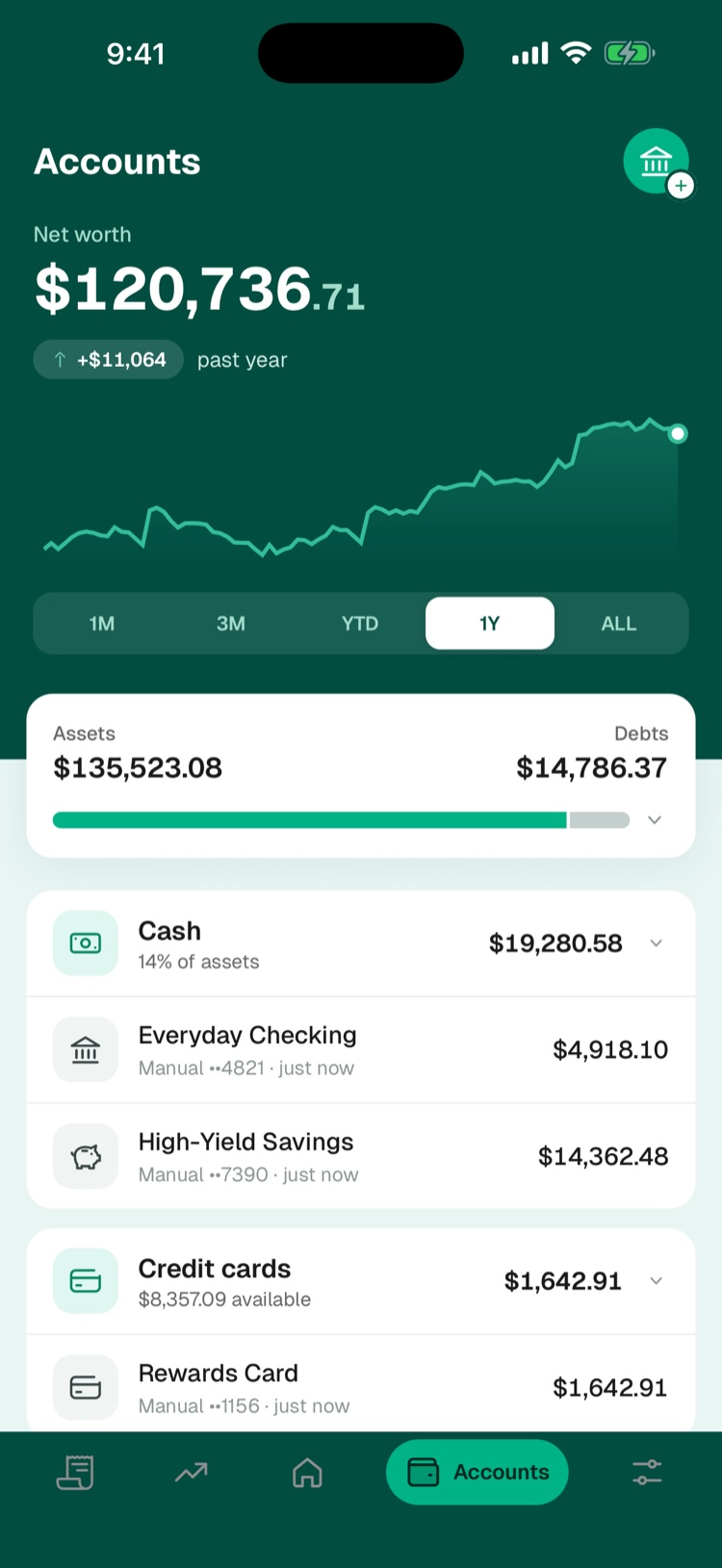
Accounts & net worth
Every balance in one number.
Link checking, savings, credit cards, loans, and brokerages, or add an account by hand for anything a bank cannot reach. Net worth is tracked from real balance snapshots over time.
- Credit cards and loans carry their APR, minimum payment, and next due date
- Manual accounts for a car, a house, or a cash stash
- Reconnect or disconnect an institution at any time from Settings
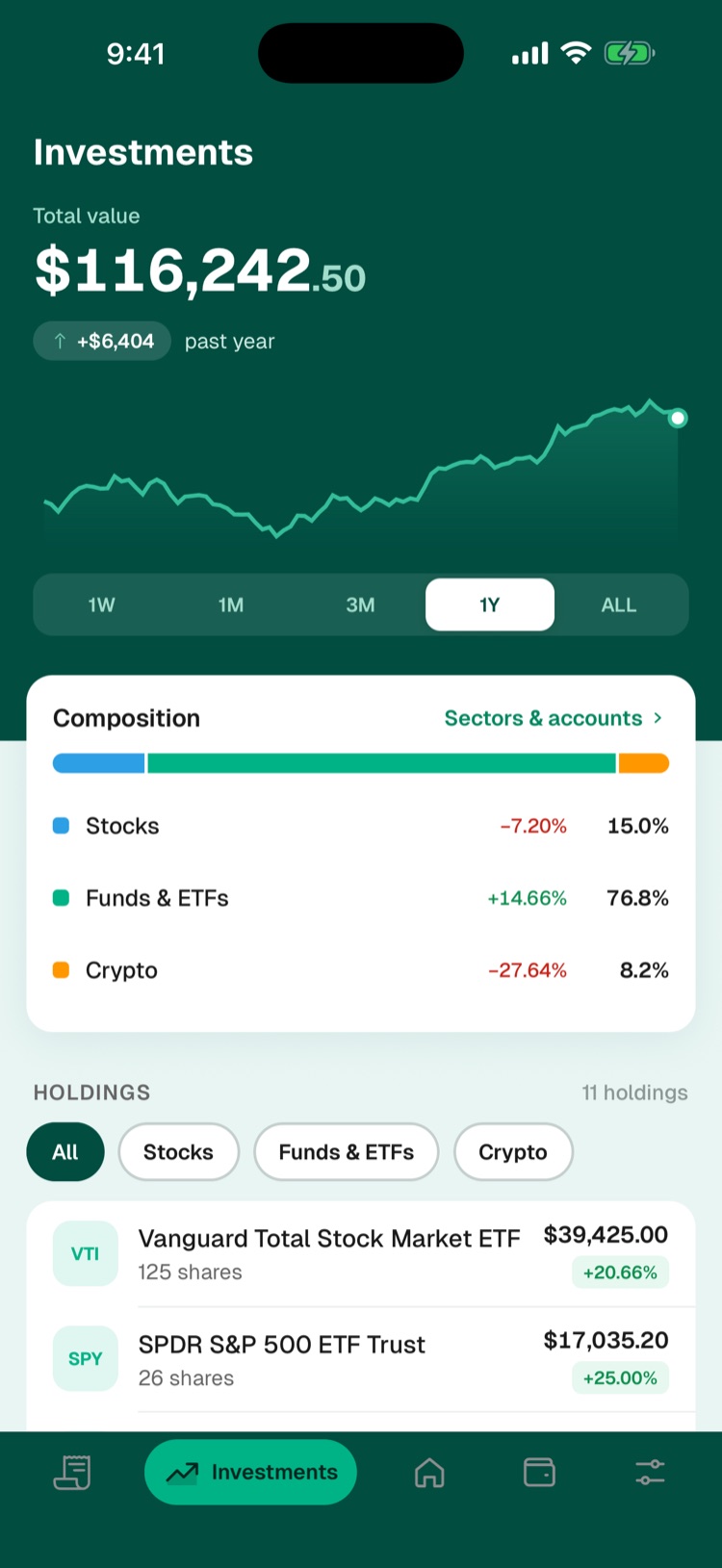
Investments
Your portfolio, holding by holding.
Brokerage accounts sync alongside everything else, so the portfolio is part of your net worth instead of a separate app you check less often.
- Total value, and gain or loss over any range from a week to all time
- Per-position cost basis, return, and price history
- Composition by security type, so you can see how much sits in one name
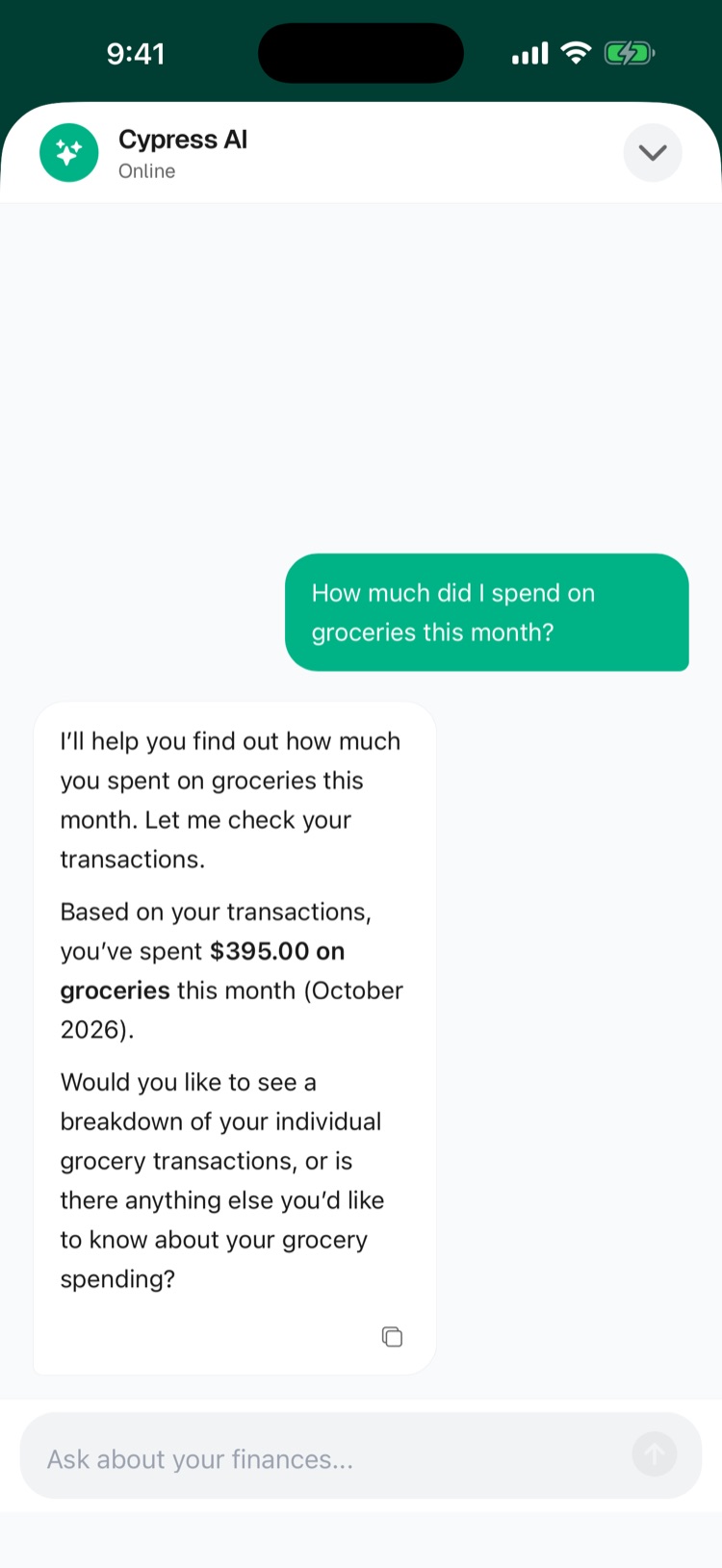
The assistant
Ask, instead of digging.
Type a question the way you would ask a person. The assistant answers from your own transactions, budgets, balances, and holdings — and shows the numbers it used.
- "What did I spend the most on last month?" · "What subscriptions am I paying for?" · "Am I saving money each month?"
- It asks for your approval before it changes anything in your budget
- It reads your financial records only to answer the question you asked
- Your financial data is not used to train third-party AI models
Getting started
Three steps, then it keeps itself current.
-
Connect
Link your accounts
Choose your bank and sign in through Plaid. Your credentials go to Plaid, never to us — Cypress receives only an access token.
-
Review
Check the first sort
Transactions arrive grouped by merchant and category. Fix anything that landed wrong, and add a rule so that merchant files itself next time.
-
Assign
Plan the month
Choose your categories and goals, then give each category an amount from the money in your accounts. From then on Cypress syncs and keeps the numbers current.
Security & privacy
A budgeting app should not be a data business.
Cypress makes money from subscriptions. That is the whole model — there is no advertising side to feed.
You enter credentials directly with Plaid, which passes us an access token. Your username and password never reach our servers.
All traffic between the app and our servers uses TLS. Sensitive fields are encrypted in the database, and searchable ones use a blind index so we can look them up without decrypting.
Your session token is stored in the iOS Keychain, and you can require Face ID or Touch ID to open the app.
No advertising identifiers, no cookies for advertising, and no App Tracking Transparency prompt — because there is nothing to track.
We do not ask for your name, phone number, or mailing address, and we never request access to your location, contacts, photos, or health data.
Disconnect an institution whenever you like, or delete your account from Settings. We erase or de-identify your personal information within 90 days.
Full detail is in the Privacy Policy and Terms of Service.
Pricing
One subscription. Everything included.
There is no limited tier holding features back — a Cypress subscription is the whole app.
30 days free
- $14.99a month
- $119.99a yearSave 33%
The annual plan works out to $10 a month. Billed through the App Store — cancel any time from Settings on your iPhone, and cancel before the trial ends and you are not charged.
- Unlimited linked banks, cards, loans, and brokerages
- Full budgeting: categories, groups, goals, rules, and scheduled transactions
- Net worth history, cash flow, and merchant analysis
- Investment holdings, returns, and composition
- The AI assistant, with no message cap
- Face ID sign-in and account deletion on request
Questions
Before you connect anything.
Which accounts can I connect?
Banks, credit cards, loans, and brokerages that Plaid supports in the United States. Anything Plaid cannot reach — a car, a property, a cash balance — you can add manually and update whenever you like.
Do I have to connect a bank to try it?
No. You can create accounts and enter balances by hand and use the budget on its own. Linking a bank simply means transactions arrive on their own instead of being typed in.
Is there an Android version?
Cypress is an iPhone app today. Android is on the roadmap, and the fastest way to hear when it lands is to write to support@cypressmoney.com.
What can the assistant actually see?
Your own financial records — transactions, budgets, balances, and holdings — and only to answer the question you asked. It cannot see other people's data, it asks for approval before changing anything in your budget, and your financial data is not used to train third-party AI models.
How do I cancel?
Subscriptions are billed through the App Store, so you cancel in Settings on your iPhone under your Apple Account. Cancel before the 30-day trial ends and you are not charged.
How do I delete my data?
Delete your account from Settings inside the app. We delete or de-identify your personal information within 90 days, other than records we must keep for legal, tax, or accounting reasons. You can also disconnect a single institution at any time, which revokes our access to it going forward.
Company
Built by GenWealth Technology LLC.
We are a small software company in St. Petersburg, Florida. Cypress is our product — we build it, run it, and support it ourselves. Every message reaches a person who works on the app.
7901 4th St N, Ste 300
St. Petersburg, FL 33702
United States